How to Choose the Best Control Room Console Desk?
A control room is only as dependable as the people, systems, and workspace supporting decisions under pressure. Choosing a Control Room Console Desk is therefore more than a furniture purchase. It affects sightlines, reach, communication, and how comfortably operators can monitor alarms through long shifts. Small details matter: a screen’s viewing angle, a cable route, or space for a supervisor to step beside an operator.
Industry data gives this decision useful context. Uptime Institute’s 2023 Annual Outage Analysis reported that 60% of surveyed organizations experiencing significant outages said their most recent outage cost more than $100,000. The report does not suggest that console design prevents outages. It does show why resilient operations deserve careful planning, including the workstations where people detect and respond to problems. A desk is not a resilience strategy by itself.
The best choice depends on the room’s actual tasks, not a polished product image. Consider operator numbers, display layouts, equipment loads, adjustability, maintenance access, and future expansion. Check relevant ergonomic guidance, such as OSHA’s computer workstation recommendations, and involve the people who will use the console daily. Their feedback may challenge the original plan. That is useful. Specifications can look convincing on paper, while a poorly placed monitor or cramped knee space becomes obvious only during a real shift. This guide outlines practical criteria for comparing console desks, asking suppliers precise questions, and avoiding costly mismatches before installation.
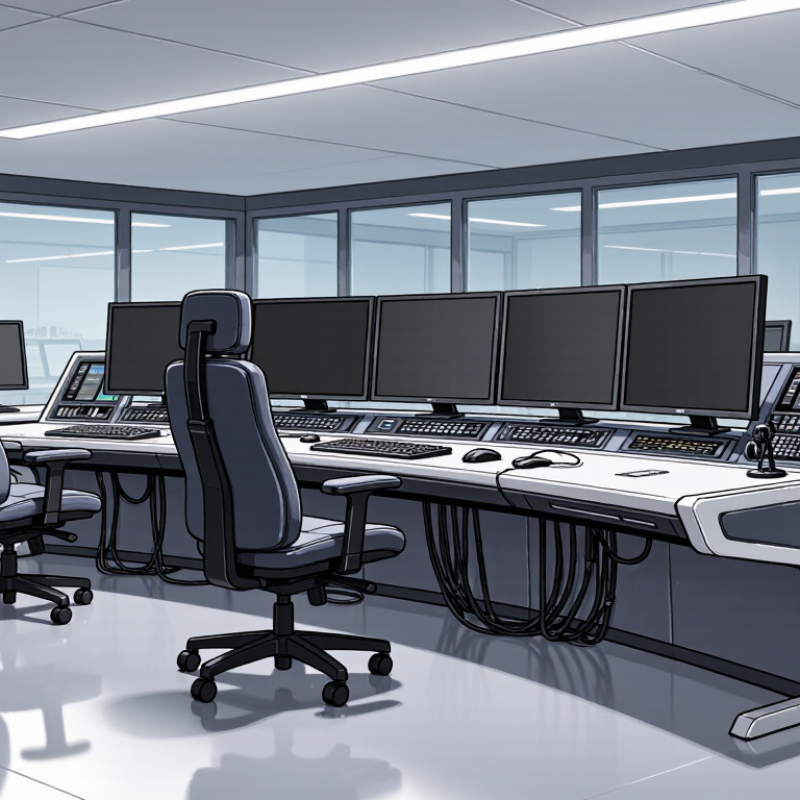
Define the Control Room’s Operational Requirements
Define the Control Room’s Operational Requirements
Start with the work, not the furniture. List who uses the room, what decisions they make, and which systems must remain visible during a busy shift. A power-grid dispatcher may need alarm panels and radio equipment within reach. A process operator may need several live dashboards and space for handwritten notes. Count screens, keyboards, phones, and shared controls. Then map their positions to real tasks. A paper plan can miss awkward reaches.
Describe the operating conditions, too. Record shift length, staffing levels, handover routines, room lighting, noise, and temperature. Note whether operators sit continuously or move between stations. These details affect desk height, leg clearance, monitor placement, cable access, and space for adjustments. Test the layout with operators using representative screens and equipment. Watch where they lean, stretch, or lose sight of an alarm. Small discomforts are easy to overlook. We still get this wrong.
Reliability deserves attention. Uptime Institute’s 2024 Annual Outage Analysis reported that 54% of respondents’ most significant outages cost over $100,000; 16% cost over $1 million. Those figures do not prove a console prevents outages, but they show why clear workflows matter. Define which alarms need immediate attention, who responds, and what information must be visible. Include cleaning, maintenance, and future equipment changes in the requirements. If those needs remain vague, the desk may fit the room but fail the work.
| Requirement Area | What to Define | Practical Planning Inputs | Console Desk Implications |
|---|---|---|---|
| Operator Roles and Staffing | Identify the roles working in the room, how many people are on duty at once, and whether staffing changes by shift or operating condition. | Current and peak operator counts; role assignments; shared or dedicated workstations; supervisor positions. | Set the number and arrangement of workstations, allow clear sightlines between operators, and provide space for supervision and collaboration. |
| Monitoring and Display Needs | Determine which systems, applications, and visual information each operator must use at the same time. | Applications per role; monitor quantity and dimensions; viewing distances; shared displays; any required display mounts. | Check desktop area, monitor-arm capacity, viewing angles, and sightlines to shared displays. Confirm that screens do not obstruct communication or room visibility. |
| Workflows and Equipment | Map the operator’s routine tasks, communication channels, and equipment used during normal and high-demand periods. | Telephones, radios, keyboards, pointing devices, control panels, paper records, and equipment that must remain within reach. | Plan accessible work surfaces, cable routes, equipment locations, and space for frequently used items without crowding the operator. |
| Shift Length and Ergonomics | Establish how long operators typically work at the console and whether they alternate between sitting and standing. | Shift duration; task variety; seated or sit-stand work; operator reach; chair and foot-support requirements. | Consider adjustable work surfaces where appropriate, comfortable leg clearance, reachable controls, and compatibility with task chairs and monitor arms. |
| Room Layout and Sightlines | Document the room’s dimensions, entrances, windows, columns, shared screens, and required circulation routes. | Measured floor plan; workstation orientation; door swings; accessible routes; viewing angles to displays and adjacent operators. | Choose desk shapes and workstation spacing that fit the room while preserving safe access, clear movement, and useful views across the control room. |
| Power, Data, and Cable Management | Confirm the electrical and network connections needed at each workstation and how cables must be routed and serviced. | Outlet and data-port locations; device count; cable entry points; maintenance access; applicable site electrical requirements. | Look for practical cable pathways and accessible service areas. Coordinate connection locations with qualified facilities and IT personnel. |
| Environmental Conditions | Identify room conditions that may affect operator comfort, equipment use, and desk materials. | Lighting and glare; HVAC airflow; ambient noise; cleaning practices; exposure to dust or other site-specific conditions. | Select finishes and layouts suited to the environment, reduce screen glare through placement, and avoid blocking ventilation or maintenance access. |
| Safety and Accessibility | Determine the site’s accessibility, circulation, and workplace safety requirements before finalizing the layout. | Required clear routes; accessible workstation needs; emergency egress; cable-trip risks; local building and workplace rules. | Keep routes and exits unobstructed, manage cables safely, and verify the design against applicable local requirements with the relevant professionals. |
| Future Changes | Consider likely changes to staffing, technology, workflows, or room use over the console’s service life. | Planned system upgrades; possible additional displays or devices; staffing scenarios; expected reconfiguration needs. | Allow suitable capacity for anticipated equipment and choose a layout that can be modified without disrupting essential operations. |
| Priorities and Constraints | Rank the requirements and identify non-negotiable limits before comparing console options. | Budget range; installation schedule; room dimensions; essential functions; maintenance and replacement considerations. | Use a requirements checklist to compare designs consistently and resolve trade-offs before ordering or installing the console. |

Contact us
Please fill out the enquiry form, and our dedicated team will promptly attend to your request