10 Commercial Display TV Buying Tips for Global Buyers

Buying a Commercial Display Tv for a global business is not simply a screen-selection exercise. It is a long-term operational decision involving brightness, reliability, connectivity, service, energy use, and regional compatibility. A model that performs well in a quiet European showroom may struggle in a sunlit airport in Southeast Asia.

As Bob Raikes, founder of Meko, has observed, “A display is only successful when it meets the real needs of its environment.” That principle deserves attention. Specifications can look impressive on paper. They may still hide weak cooling, limited warranty support, or software that frustrates local teams.

This guide presents ten practical buying tips for international purchasers. It considers viewing distance, operating hours, panel durability, media players, remote management, and installation conditions. It also examines details that are easy to overlook, such as voltage requirements, language support, replacement parts, and local technical assistance.

Experience changes the decision.

A retail wall may need narrow bezels and consistent color. A hotel lobby may value simple scheduling and quiet operation. A control room may require continuous performance and dependable signal handling. These needs are not interchangeable.

There is no perfect Commercial Display Tv for every market. That is an uncomfortable truth. Buyers can still reduce costly mistakes by comparing total ownership costs, testing content in realistic lighting, and confirming support before signing an order. Some recommendations may need revision as technologies, regulations, and customer expectations change. Careful buyers leave room for that uncertainty.
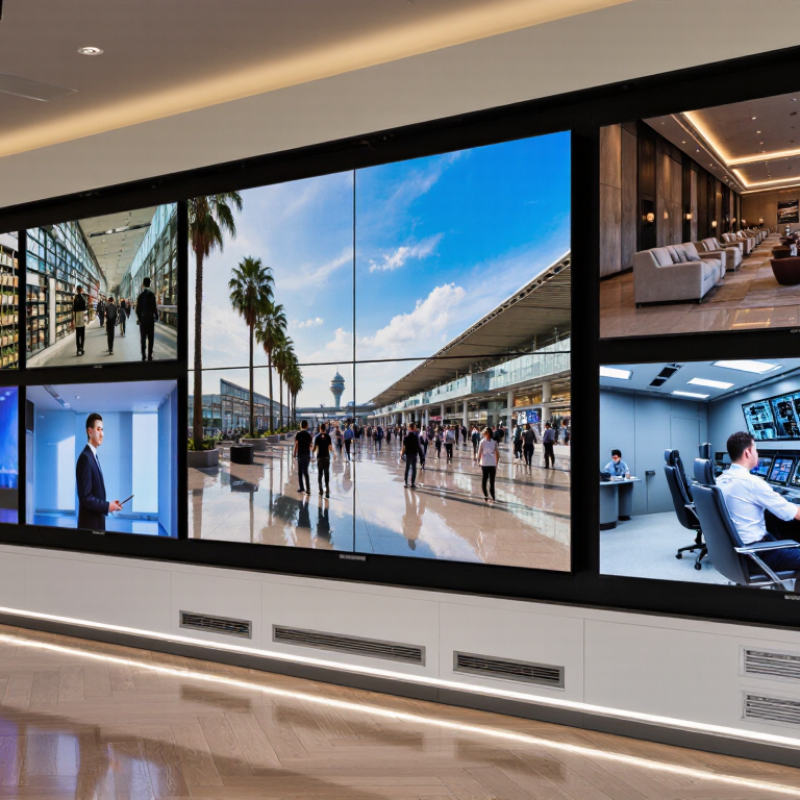
10 Commercial Display TV Buying Tips for Global Buyers

Define Commercial Display Needs and Buyer Requirements

Defining commercial display needs starts with the room, not the screen. Measure viewing distance, wall width, ambient light, and daily operating hours. A lobby with glass doors may need higher brightness than a quiet meeting room. Record peak sunlight at 10 a.m., not only during a showroom visit. That detail matters. Decide whether the display will show menus, schedules, live data, or promotional video. Each use affects resolution, aspect ratio, and content management requirements.

Buyer requirements should be written as testable specifications. State the target screen size, brightness range, uptime expectation, speaker needs, network method, and available input ports. Ask whether the unit supports portrait installation, remote monitoring, automatic restart, and scheduled power control. For multi-country deployment, verify voltage compatibility, wireless approvals, energy rules, and safety documentation for every destination. Do not accept “long life” as a requirement. Define operating hours, warranty coverage, spare-part access, and service response time instead.

Budget planning must include mounting, shipping, installation, software, and replacement costs. A lower purchase price can hide service delays or incompatible accessories. Pilot evaluations often reveal unexpected problems. A bright panel may be excessive in a shaded corridor, while a dim display can fail beside a sunlit entrance. The mistake is rarely technical. The brief was incomplete. Leave room for staff feedback, since daily users may need simpler controls than procurement teams expect. Test one complete setup with real content, network conditions, and local lighting before approving a larger order.

Compare Screen Sizes, Resolutions, Panel Types, and Viewing Conditions

Choosing a commercial display TV starts with the room, not the screen catalog. Measure the distance between viewers and the display. A 55-inch screen may suit a small meeting room, while a 75-inch model can improve readability in a lobby. Larger is not always better. An oversized screen may force viewers to move their heads.

Resolution should match content and viewing distance. Full HD can work for simple announcements viewed from far away. 4K is more suitable for detailed charts, product images, and close seating. However, higher resolution cannot fix poor source quality. Test the actual videos, text, and presentation files before purchasing.

Panel type also affects daily performance. LED-backlit LCD panels often provide strong brightness for bright spaces. OLED panels can deliver deeper blacks, but static content may require careful operating policies. Check viewing angles when people watch from the sides. In a narrow hallway, limited angles can make colors look uneven.

Viewing conditions deserve a practical inspection. Compare brightness near windows, under overhead lights, and after dark. A glossy surface may reflect lamps like small mirrors. A matte finish can improve readability, although it may reduce perceived contrast slightly. I have learned that showroom results can be misleading. A two-hour site test is more reliable than a polished specification sheet. Also verify operating temperature, ventilation, and local power compatibility before placing a global order.

10 Commercial Display TV Buying Tips for Global Buyers

Compare screen sizes, resolutions, panel types, and viewing conditions before selecting a commercial display.

Screen Size and Resolution

At the same screen size, 4K UHD provides four times as many pixels as Full HD. At the same resolution, larger screens have lower pixel density, so viewing distance and image detail should be evaluated together.

Panel Type

IPS panels generally offer wide viewing angles, VA panels typically provide higher native contrast, and OLED panels use self-emissive pixels for deep blacks. For static commercial content, evaluate image-retention requirements and operating conditions.

Viewing Conditions

Bright spaces benefit from strong sustained brightness, effective anti-glare treatment, and controlled reflections. Dark rooms emphasize contrast performance. For wide audiences, viewing-angle consistency is more important than peak brightness alone.

Pixel-density values are calculated from the stated diagonal size and standard 16:9 resolutions: Full HD 1920 × 1080 and 4K UHD 3840 × 2160.

Assess Durability, Connectivity, Software, and Remote Management

Buying a commercial display for global use requires more than checking screen size and brightness. In busy transport halls, retail stores, and meeting rooms, displays may run for long hours. Choose a model with reinforced housing, stable thermal control, and tested resistance to dust. Ask for verified operating-hour data, not only marketing claims. Small details matter.

Tip: Test connectivity before purchase. Confirm HDMI, USB, network, wireless, and control interfaces match your existing equipment. A display can have many ports yet still lack the right signal standards. Test a real source device at the intended resolution. This catches compatibility problems early.

Software and remote management can reduce service visits across different time zones. Look for secure device enrollment, scheduled power control, firmware updates, usage monitoring, and role-based access. Logging should show when settings changed and who changed them. Offline recovery also matters when a store loses internet access. It is not perfect everywhere. Some platforms need extra configuration, and local technicians may require training. Request a trial period with several displays. Measure update time, restart behavior, and network stability under ordinary working conditions. Keep spare cables and a documented recovery procedure nearby.

10 Commercial Display TV Buying Tips for Global Buyers - Assess Durability, Connectivity, Software, and Remote Management

No. Buying Dimension What to Assess Practical Recommendation Typical Target or Benchmark Why It Matters
1 Commercial Duty Cycle Confirm whether the display is designed for continuous commercial operation rather than occasional household viewing. Select a model rated for the planned daily operating schedule and install it with adequate ventilation. Choose a published 16/7 or 24/7 operating rating when the installation requires extended daily use. Reduces overheating, premature component wear, and unexpected downtime.
2 Panel Durability and Image Retention Evaluate panel construction, thermal design, warranty coverage, and the risk of image retention for static content. Use content rotation, screen-saving functions, and suitable brightness settings when menus or dashboards remain on screen. Look for commercial-grade thermal management and a documented warranty covering the intended usage. Helps preserve uniform brightness and extend usable service life.
3 Brightness and Viewing Environment Match luminance to ambient light, viewing distance, window exposure, and whether the screen is used indoors or semi-outdoors. Avoid choosing maximum brightness solely for specification purposes; prioritize readable content without excessive glare. Approximately 350–500 cd/m² is common for indoor signage; brighter environments may require more. Improves legibility, energy efficiency, and viewer comfort.
4 Connectivity and Input Compatibility Check video inputs, network ports, wireless capability, audio connections, control interfaces, and regional power requirements. Verify the required HDMI version, HDCP support, Ethernet speed, Wi-Fi standard, and voltage range before ordering. At least two HDMI inputs, wired Ethernet, Wi-Fi, and support for common 4K input formats are practical baseline requirements. Prevents adapters, compatibility failures, and costly installation changes.
5 Resolution and Content Performance Consider screen size, viewing distance, text density, video quality, refresh rate, and the capabilities of the content source. Use 4K resolution for detailed menus, maps, dashboards, and close-viewing applications; avoid paying for resolution that content cannot use. 3840 × 2160 is a common 4K UHD format; confirm support for the required refresh rate and codecs. Ensures sharp text and smooth playback across international content systems.
6 Operating System and Software Support Review supported media formats, application compatibility, content scheduling, user permissions, and software update policies. Request a software compatibility test using the actual playlists, languages, file types, and web services planned for deployment. Confirm support for common video, image, audio, subtitle, HTML5, and network playback requirements. Reduces dependence on external media players and simplifies content operations.
7 Remote Monitoring and Management Assess centralized control for power, volume, input selection, firmware, diagnostics, content, and device status. Choose a platform with role-based access, device grouping, health alerts, scheduling, logs, and secure remote support. Look for standards-based control such as IP management, web administration, APIs, or industry device-control protocols. Lowers travel and service costs when displays are deployed across multiple countries.
8 Security and Network Administration Check encryption, authentication, access controls, firmware maintenance, network segmentation, and data-handling practices. Require strong administrator passwords, encrypted management traffic, controlled USB access, and documented security updates. The device should support secure network deployment and integration with the buyer’s IT policy. Protects signage networks from unauthorized changes and service disruption.
9 Installation, Serviceability, and Logistics Review mounting standards, screen weight, cable access, operating orientation, replacement procedures, packaging, and spare-part availability. Confirm VESA dimensions, portrait or landscape support, local service coverage, and the availability of replacement components. VESA mounting support and clearly documented installation clearances are useful minimum requirements. Makes international deployment faster and reduces repair-related downtime.
10 Total Cost of Ownership Calculate purchase price together with energy use, software fees, installation, connectivity, maintenance, warranty, shipping, taxes, and replacement costs. Compare a multi-year operating budget instead of selecting the lowest initial price. Model at least a three-year cost period and include local electricity rates and support requirements. Reveals the real financial impact of large-scale, multi-region deployments.

Verify Compliance, Warranty, Installation, and Total Cost of Ownership

10 Commercial Display TV Buying Tips for Global Buyers

Verify compliance before comparing screen size or price. Ask for current safety, electromagnetic compatibility, energy, and recycling documents for each destination. Certification marks alone may not prove local acceptance. Confirm the operating voltage, plug type, wireless functions, and language settings. A regional distributor or qualified compliance consultant should review the paperwork. We have seen projects delayed because one document covered the panel but not the complete display.

Read the warranty conditions line by line. Check coverage length, response time, replacement procedures, and exclusions for commercial operating hours. Ask whether on-site service includes labor, transport, and faulty mounting hardware. Installation also needs practical review. Measure doorways, wall strength, viewing height, ventilation space, and cable routes before delivery. A pilot installation in one location can expose heat, glare, or unstable network issues. Small tests are less expensive than large regrets.

Calculate total cost of ownership over several years. Include freight, duties, brackets, professional installation, software licenses, electricity, maintenance, spare units, and disposal fees. Request a written cost model with realistic usage hours. Energy labels may not reflect your actual schedule. Warranty repairs can also create downtime costs. I would leave room for mistakes, because international estimates often miss local labor or storage charges. Keep every approval, revision, and service promise in writing.

Evaluate Suppliers, Logistics, Support, and Global Purchasing Risks

Global buyers should evaluate commercial display TV suppliers beyond catalog prices. Request factory audit evidence, production photos, sample testing records, and references from similar climates. Check panel consistency, brightness measurements, operating hours, warranty terms, and replacement-part availability. A polished website proves little. Ask awkward questions early. Compare at least three quotations line by line. Confirm whether prices include testing, export packaging, documentation, and installation guidance. Some suppliers promise global support without local technicians.

Map the shipping route before signing the purchase order. Check lead time, port congestion, pallet dimensions, container loading, insurance, and damage procedures. Confirm the agreed trade term and responsibility for customs documents. Verify voltage, plug requirements, labeling, and destination-market compliance papers. A delayed vessel can disrupt a store opening for weeks. Small errors become costly.

Support should include response times, spare-part stock, remote diagnosis, and clear escalation contacts. Test the process before purchasing at scale. Ask who handles firmware issues and failed units after installation. Use staged payments tied to inspection, packaging photos, and shipping documents. Keep several spare displays for urgent replacements. No supplier scorecard is perfect. A low-cost choice may still be sensible, but only when risks are visible, measured, and accepted. Leave room for mistakes; international projects rarely follow the first schedule.

Contact us

Please fill out the enquiry form, and our dedicated team will promptly attend to your request